
Self-adhesive Cable Clips · 100 Pack
Give loose cables a planned route with a generous pack of small adhesive clips.
$19.98
Manufacturer product imagery. Screen views are illustrative; shown phones and optional accessories are not included unless stated in the final package.
Front, cabin and rear coverage with a higher-resolution rear-camera specification and a modern wireless review workflow.
Save $213.84 while launch pricing is active.
Supplier fulfilled · Shipping calculated at checkout
Drive4K will specify the supplied camera, mounts and cables before orders open. Manufacturer bundle combinations are not automatic inclusions.
Check card capacity, the exact hardwire-kit version and fuse fit. Optional LTE services or accessories are not included by default.
Not right for your car? Contact us within 30 days.
Estimated 2–4 business days on current Australian supplier routes. Shipping calculated at checkout.
Encrypted checkout. Supported payment methods shown before payment.
Check what is already included, then choose any extras that suit your car and devices.
Swipe to see optional extras →
Give loose cables a planned route with a generous pack of small adhesive clips.
$19.98
Four useful shapes for lifting interior trim and helping route accessory cables neatly.
$19.00
A mix of square and round double-sided pads for suitable small accessory mounts on smooth surfaces.
$47.50Vantrue lists 2.5K rear recording alongside the front and cabin channels, compared with the E3’s listed 1080P rear channel.
The manufacturer specifies an IMX675 rear sensor and HDR. This is a hardware feature, not a guarantee of readable plates in every scene.
The listed wireless connection and storage support offer options for reviewing and retaining multi-channel files.
The N4 Pro S keeps the three-view format and puts extra emphasis on the rear camera. Vantrue specifies 4K front, 1080P cabin and 2.5K rear recording. Consider it when detail behind the vehicle matters alongside the cabin view. The exact recording mode and real driving conditions still determine what a clip can show.
A windscreen main unit covers the road and cabin, with a separate rear camera for the view behind.
Each view depends on a clear lens and careful installation. Viewing angles and sources are below the illustration.
 Front unit
Rear unit
Front of vehicle ↑
Front unit
Rear unit
Front of vehicle ↑
AI-generated vehicle illustration. Cones use listed angles where available, or estimates where unconfirmed. They are not measured horizontal coverage or detection range. Cabin fields are cropped to the interior; pillars, seats, lens aim and recording mode affect the actual view.
The English manual lists 165° rear; the current product page lists 160°. The rear cone uses the manual figure as an illustration, pending confirmation. Measurement axes are not specified.
Manufacturer manual ↗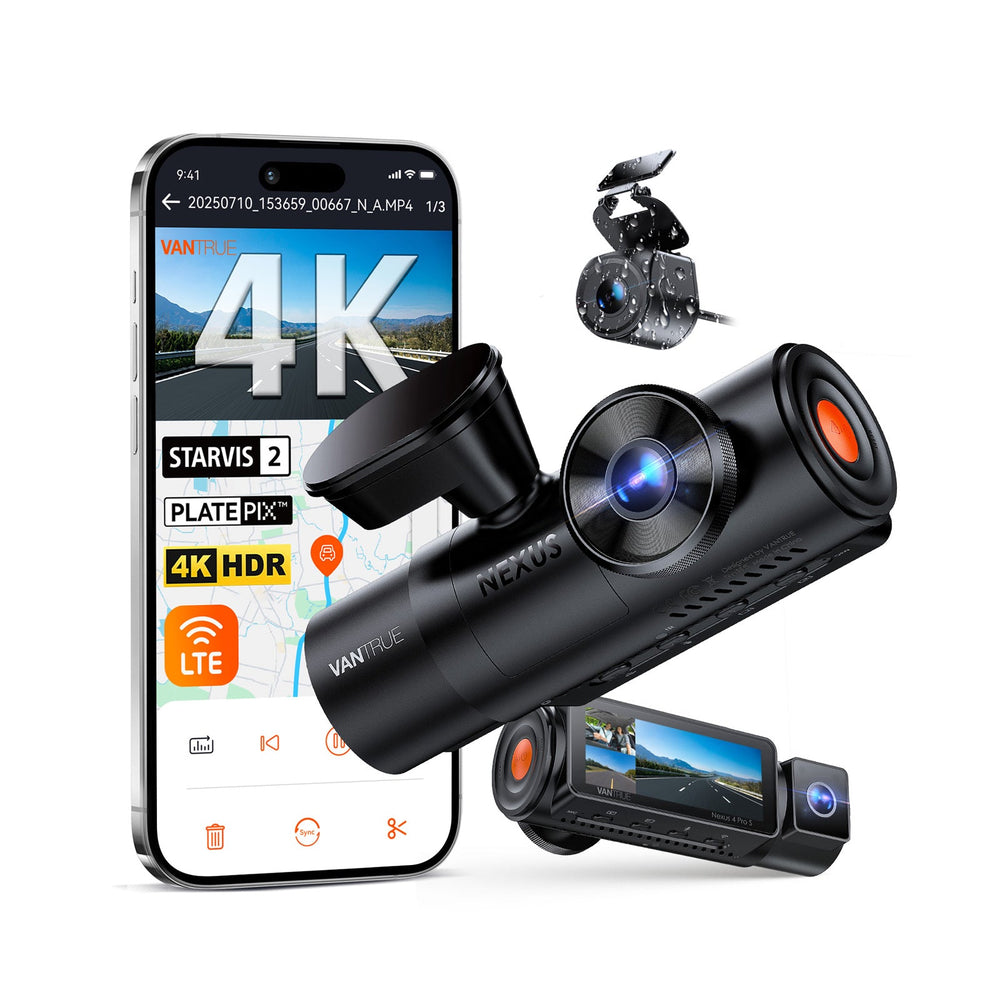
Set up while parked, then keep a simple routine for checking and saving your footage.
While parked, check each camera view, date and recording settings. Format a supported card using the model’s instructions.
Use the manufacturer’s supported app or player. Inspect the relevant channels together and keep the original files.
Save important clips outside the camera before loop recording replaces them. Recheck recent recordings periodically.
Its rear camera is a reason to choose this model. Give its position and cable route the same attention as the main unit.
Ask a setup question →Place the main unit where both lenses have a useful view and the controls remain accessible.
Check the mounting surface, viewing angle and any weather exposure. Vantrue lists an IP67 rear camera; vehicle fit still needs checking.
A supported power kit and an appropriate battery cutoff are needed for parking monitoring. Avoid assuming a standard socket remains live.
Drive4K will specify the supplied camera, mounts and cables before orders open. Manufacturer bundle combinations are not automatic inclusions.
Check card capacity, the exact hardwire-kit version and fuse fit. Optional LTE services or accessories are not included by default.
Clear package details, practical fitting information and a direct contact when you need help.
Contact Drive4K →Check the product’s fit, power and package details before installing it in your car.
Explore installation guidance →| Included | Arrange separately |
|---|---|
| Drive4K will specify the supplied camera, mounts and cables before orders open. Manufacturer bundle combinations are not automatic inclusions. | Check card capacity, the exact hardwire-kit version and fuse fit. Optional LTE services or accessories are not included by default. |
Buying this as part of a dashcam setup? Our free guide covers power, recording cards and footage checks.
Read the Dash Cam Setup Guide →Specifications describe the manufacturer listing, not independent footage testing. Image detail varies with lighting, motion, settings and camera position.
| Model | Vantrue Nexus 4 Pro S / N4 Pro S |
|---|---|
| Camera role | Front + cabin + rear |
| Listed recording | 4K front + 1080P inside + 2.5K rear |
| Rear camera | STARVIS 2 IMX675, HDR, 160-degree view and IP67 rating listed by Vantrue |
| Storage | Up to 1TB microSD |
| Connectivity | 5GHz Wi-Fi and OTA updates |
| Location data | Built-in GPS listed |
| Power architecture | Supercapacitor listed by Vantrue |
Check the exact model, vehicle fit and package before choosing your setup.
Explore support & care →Both cover front, cabin and rear. Vantrue lists 4K front, 1080P cabin and 2.5K rear recording for the N4 Pro S, with up to 1TB storage support. The E3 is the compact alternative; compare the actual recording modes and placement needs.
Vantrue lists an IP67 rear camera. Confirm the exact supplied camera, mounting method, connections and weather exposure before an exterior installation.
No. Camera Wi-Fi is used for a nearby phone connection. Remote cellular viewing involves separate compatible hardware, a service plan and regional support.
Yes. Plan a supported parking-power setup with appropriate battery protection. The camera’s parking features do not keep an unpowered camera running.
Choose the camera for its recording role, then match the installation accessories.